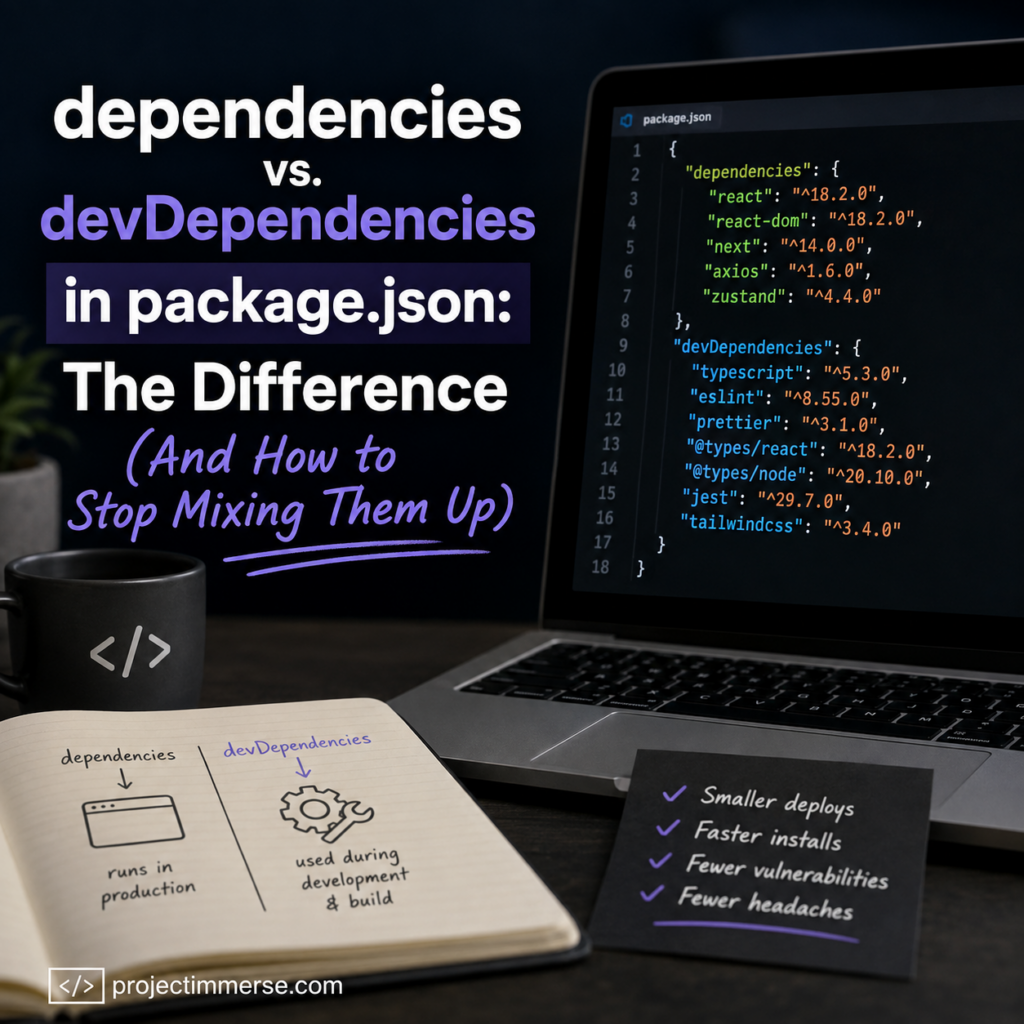
dependencies versus devDependencies is one of the easiest ways to avoid frustrating deployment issues.If you’ve ever run npm install on a fresh clone of a React or Next.js project and thought, “cool, I have literally no idea why half of these packages are in devDependencies and the other half aren’t” — congratulations, you’re a normal developer. This is one of those things that seems obvious until you actually have to explain it, at which point your brain quietly leaves the room.
Let’s fix that. By the end of this article, you’ll know exactly where a package belongs, why it matters more than you think, and how to stop guessing (or worse, copy-pasting from Stack Overflow and hoping for the best).
The Quick Answer
Every package.json file has two main buckets for third-party code:
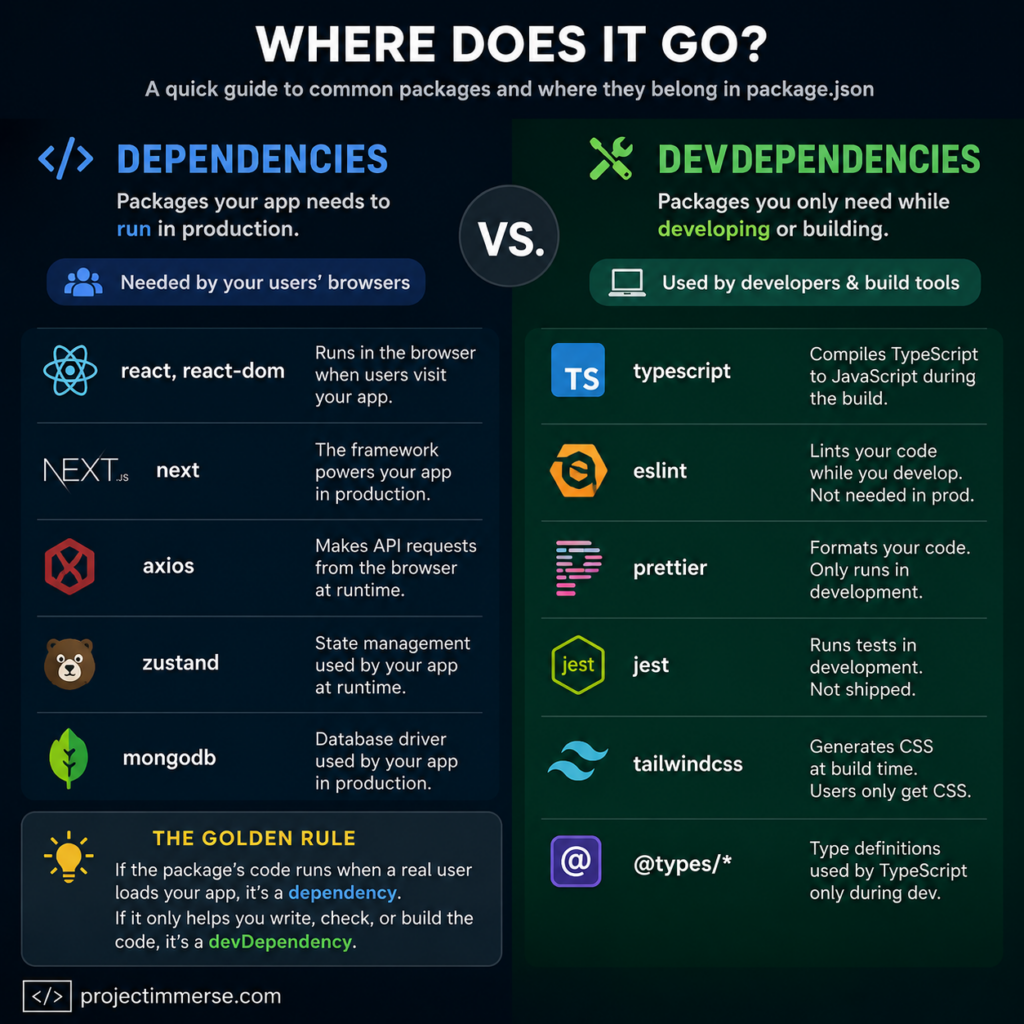
dependencies— packages your app needs to run. React, Next.js, your UI library, your API client. If it’s imported by code that executes when a real user loads your app, it goes here.devDependencies— packages you only need while building or developing the app. Linters, test runners, type checkers, bundler plugins. Users never see these; your build server does the heavy lifting and then throws them away.
That’s the whole concept in two sentences. The tricky part is applying it consistently, because a surprising number of packages feel like they should be in one bucket when they actually belong in the other. More on that in a second.
Why This Distinction Even Exists
npm didn’t add two dependency types just to give you more decisions to second-guess at 11pm. There’s a real, practical reason: production installs skip devDependencies entirely.
When you (or your hosting platform) run:
bash
npm install --production
or set NODE_ENV=production before installing, npm only installs what’s in dependencies. Everything in devDependencies — ESLint, Jest, TypeScript, your Tailwind config tooling — gets left behind.
This matters for a few reasons:
- Smaller, faster deploys. Fewer packages to download and install means faster build times and smaller
node_modulesfolders on your production server or serverless function. - Smaller attack surface. Fewer installed packages in production means fewer potential vulnerabilities to worry about.
- It catches your mistakes before they catch you. If you accidentally rely on a devDependency in code that runs at runtime, a proper production install will fail loudly — instead of quietly working on your machine and then exploding the moment it hits Vercel.
That last point is the one that actually bites people. Locally, everything’s installed, so a misplaced package won’t cause an error. It’s only when a clean, production-only install happens that the gap shows up — usually at the worst possible time, like during a deploy on a Friday afternoon.
The One Question That Settles It
Whenever you’re not sure where a package goes, ask yourself:
“Does this code need to exist when a real user visits my deployed app?”
- Yes →
dependencies - No, it only helps me write, check, or build the code →
devDependencies
Here’s what that looks like in an actual Next.js or React package.json:
json
"dependencies": {
  "react": "^18.2.0",
  "react-dom": "^18.2.0",
  "next": "^14.0.0",
  "axios": "^1.6.0",
  "zustand": "^4.4.0"
},
"devDependencies": {
  "typescript": "^5.3.0",
  "eslint": "^8.55.0",
  "prettier": "^3.1.0",
  "@types/react": "^18.2.0",
  "@types/node": "^20.10.0",
  "jest": "^29.7.0",
  "tailwindcss": "^3.4.0"
}
React runs in the browser when your user opens the page, so it’s a dependency. ESLint runs on your laptop when you save a file, so it’s a devDependency. Simple enough — until you hit the packages that live in the gray zone.
The Gray-Zone Packages That Trip Everyone Up
dependencies versus devDependencies, helping developers avoid one of the most common package.json mistakes.This is where most of the “wait, why is this broken in production” moments come from. A few repeat offenders:
1. @types/* packages
Always devDependencies — even when the package they describe (like react) is a regular dependency. TypeScript types are erased during compilation. By the time your code runs in a browser, the types don’t exist anymore; they were only ever a development-time safety net.
2. Tailwind CSS, PostCSS, Autoprefixer
These feel like they belong with your “app styling,” so people instinctively drop them in dependencies. But they run at build time to generate a static CSS file. The generated CSS ships to users — the tools that generated it don’t. → devDependencies.
3. TypeScript itself
Even if 100% of your codebase is TypeScript, the compiler is a devDependency. It transforms your .ts files into plain JavaScript during the build, then it’s done. Your production server never touches a .ts file directly.
4. Testing libraries
jest, @testing-library/react, cypress, vitest — none of these ship to your users, no matter how much you love your test coverage. → devDependencies.
5. Build tooling
Babel plugins, webpack loaders, bundler config helpers. Next.js hides most of this from you already, but if you’re adding custom build tooling, it’s a devDependency.
The pattern across all five: if the package’s job is to help you produce the final code (compile, lint, style, bundle, test), it’s a devDependency — even if its output is something your users absolutely depend on.
A Mental Model That Actually Sticks
Think of it like baking a cake for a party.
- Flour, sugar, eggs, frosting → these end up in the cake. Your guests eat them. That’s
dependencies. - Mixing bowls, oven, measuring cups, the recipe card → these help you make the cake, but nobody eats the oven. That’s
devDependencies.
Tailwind is the oven. React is the frosting. Nobody at the party wants to bite into your PostCSS config.
How to Add Packages Correctly (Without Overthinking It)
The good news: you don’t have to memorize categories forever. Let npm do it for you.
bash
# Adding a runtime package (goes to "dependencies")
npm install axios

# Adding a dev-only tool (goes to "devDependencies")
npm install --save-dev jest
The --save-dev flag (shorthand: -D) is the whole trick. If you always type it consciously instead of running npm install <package> on autopilot, you’ll rarely miscategorize anything. It’s a two-second decision at install time versus a confusing production bug three weeks later — an easy trade.
If you’re auditing an existing package.json and something looks misplaced, you can move it manually. Just cut the line from one object and paste it into the other, then run npm install again to make sure your lockfile stays in sync.
Quick Self-Check: Am I About to Mess This Up?
Before you commit a new package, run through this:
- Does this code execute when a user loads the live site? →
dependencies - Is this only used in scripts, config files, or my editor? →
devDependencies - Would deleting
node_modulesand runningnpm install --productionbreak my running app without it? →dependencies - Does it only break my build or lint or test command? →
devDependencies
If you can answer these four questions, you will basically never mix this up again. It’s genuinely one of the more forgiving mistakes in software — nothing catastrophic happens instantly, it just quietly waits to embarrass you during a deploy.
Why It’s Worth Getting Right (Even Though “It Still Works Locally”)
It’s tempting to shrug this off since a bloated dependencies list doesn’t break anything on your machine. But it costs you in ways that stack up over time:
- Deploy times creep up as unnecessary packages get installed in production.
- Bundle analyzers and security scanners often only check
dependencies, so misplaced dev tools can hide from audits — or worse, misplaced runtime code can slip past checks meant to catch it. - New teammates get confused reading your
package.json, since it’s supposed to double as documentation of what your app actually needs to run. - Platforms like Vercel, Netlify, and most CI pipelines run production-only installs by default, so a misplaced dependency can turn into a real deploy failure, not just a theoretical one.
The Bottom Line
dependencies are the ingredients in the cake. devDependencies are the kitchen equipment. React, Next.js, and anything your users’ browsers actually execute go in the first bucket. TypeScript, ESLint, Jest, Tailwind’s build tooling, and your @types packages go in the second — even if it feels wrong to file your favorite CSS framework under “not real.”
When in doubt, ask if the package needs to exist after your build finishes and a real person is looking at your site. If yes, dependencies. If it’s already done its job and gone home by that point, devDependencies. Get in the habit of typing --save-dev on purpose instead of by accident, and this whole category of bug quietly disappears from your life.